The missing iPhone app for Hermes.
An app for the AI assistant you run yourself, at home or at work. Anyone in the family or on the team can ask it anything, the way they’d text someone, and every chat stays on your own computer.
On TestFlight now. Coming to the App Store. Why I made it
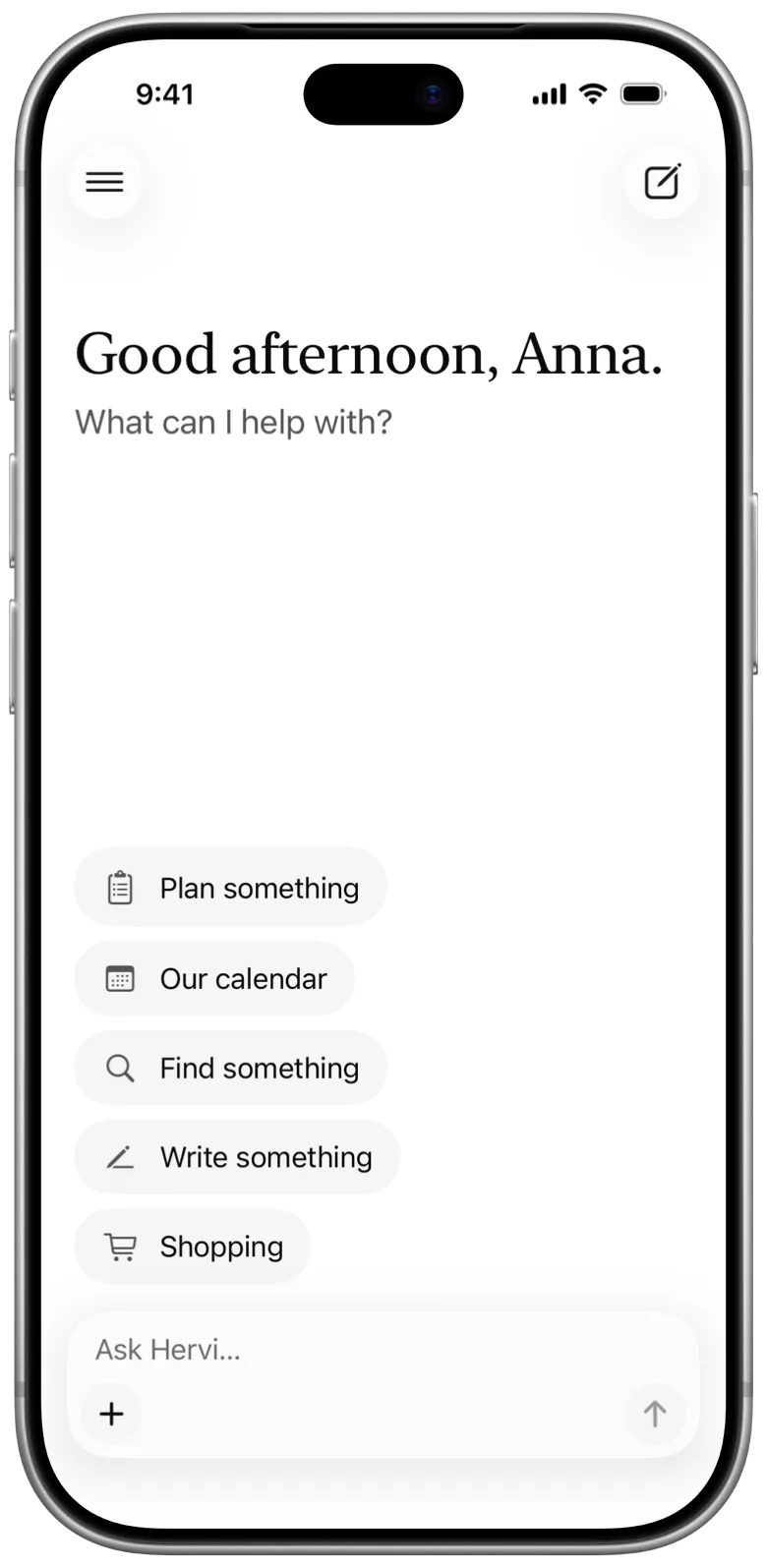
If you can send a message, you can use it.
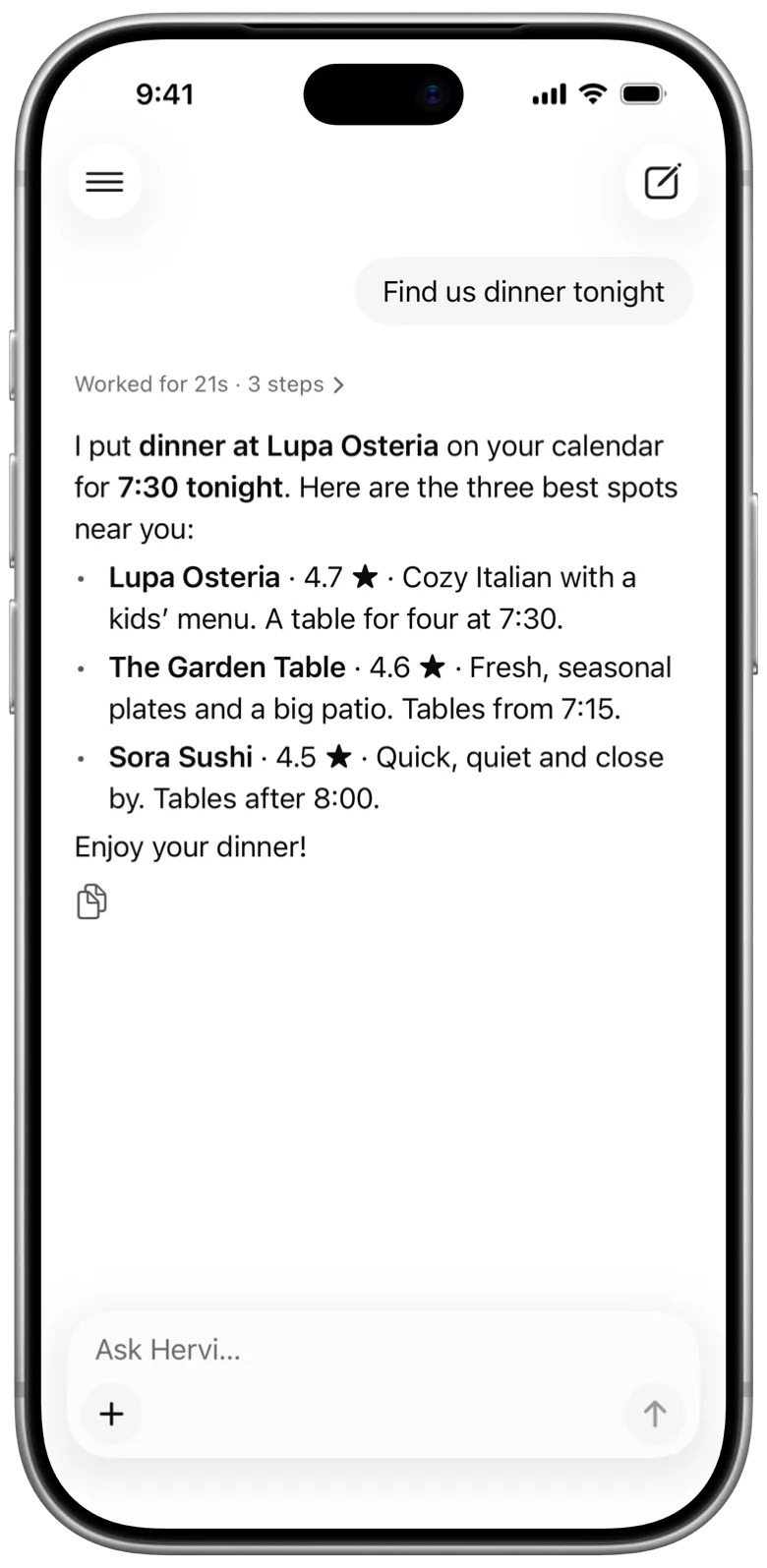
Ask the way you’d text someone, and watch what it’s doing while it works. 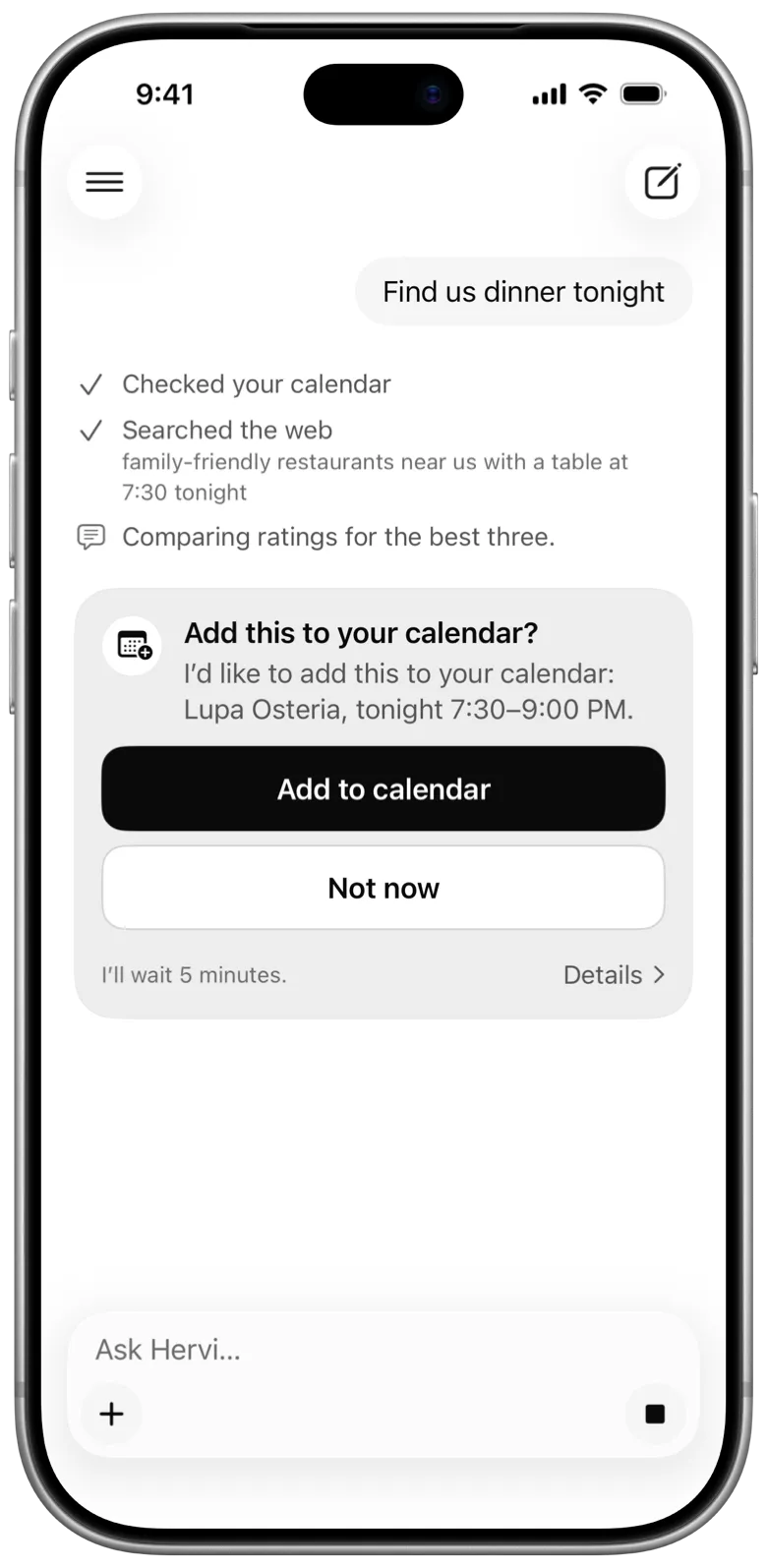
Before it changes anything, it asks. Nothing happens until you tap the button. 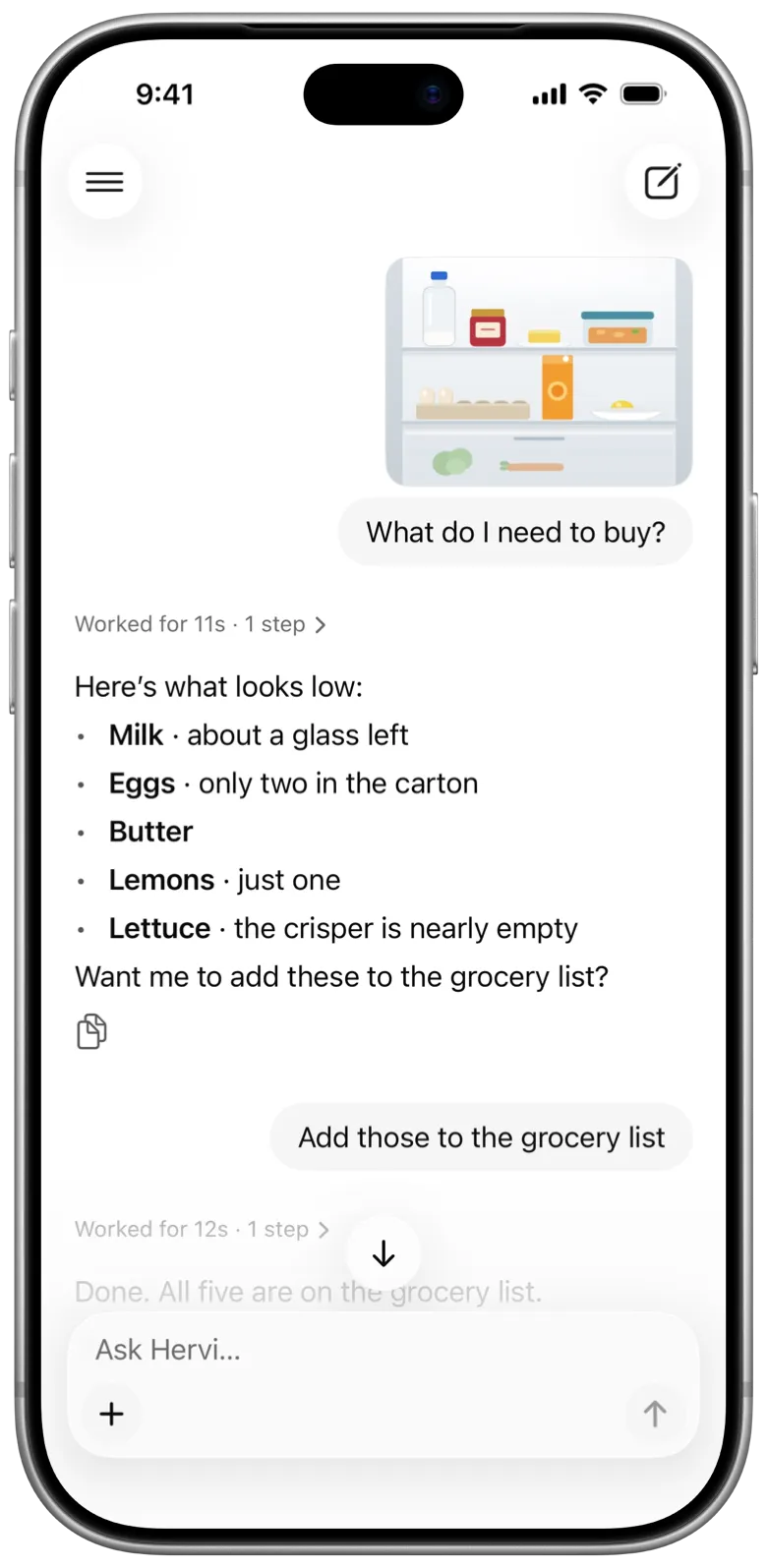
Send a photo or a file. Location is taken out of photos before they leave your iPhone.
- Chats, kept by day
- Pin the ones you use most, search the rest, and see which chat is waiting for you.
- Notifications
- When an answer is ready or it needs your OK, even with Hervi closed.
- How hard it thinks
- Quick, Normal or Think harder, chosen for each chat.
- One code per person
- Scan an invite and you’re in. Nobody types a password.
- Plain words when something’s off
- Like “Hervi can’t reach your home”, with a button to try again.
- Made for everyone
- Large text, VoiceOver, Increase Contrast and Reduce Motion, throughout.
It can use your iPhone’s own apps.
With the Hervi plugin added to Hermes, your assistant can work with the apps on your iPhone. A card asks every time, and nothing happens until you tap Allow.
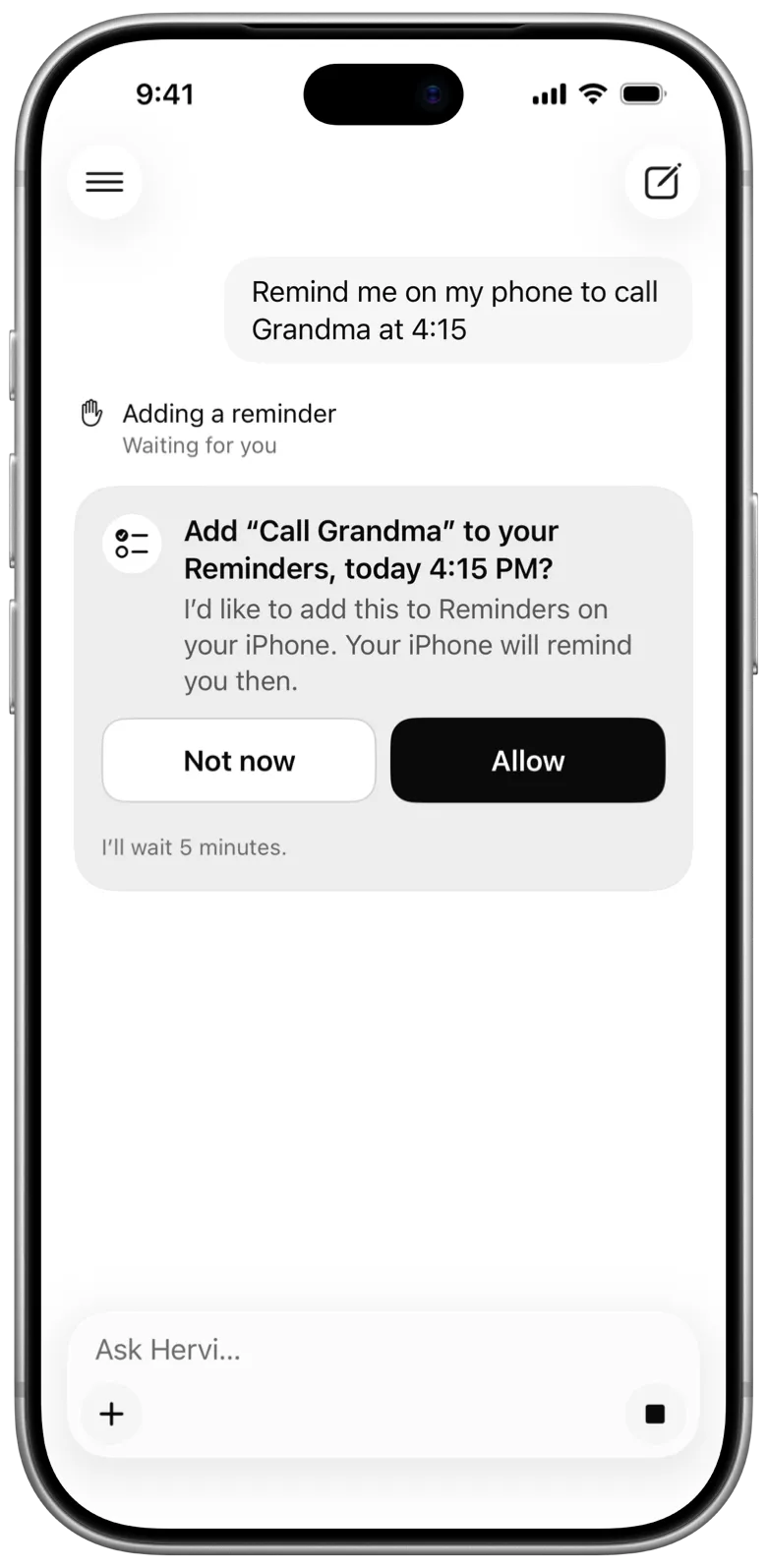
Reminders
Add, list and check off reminders.
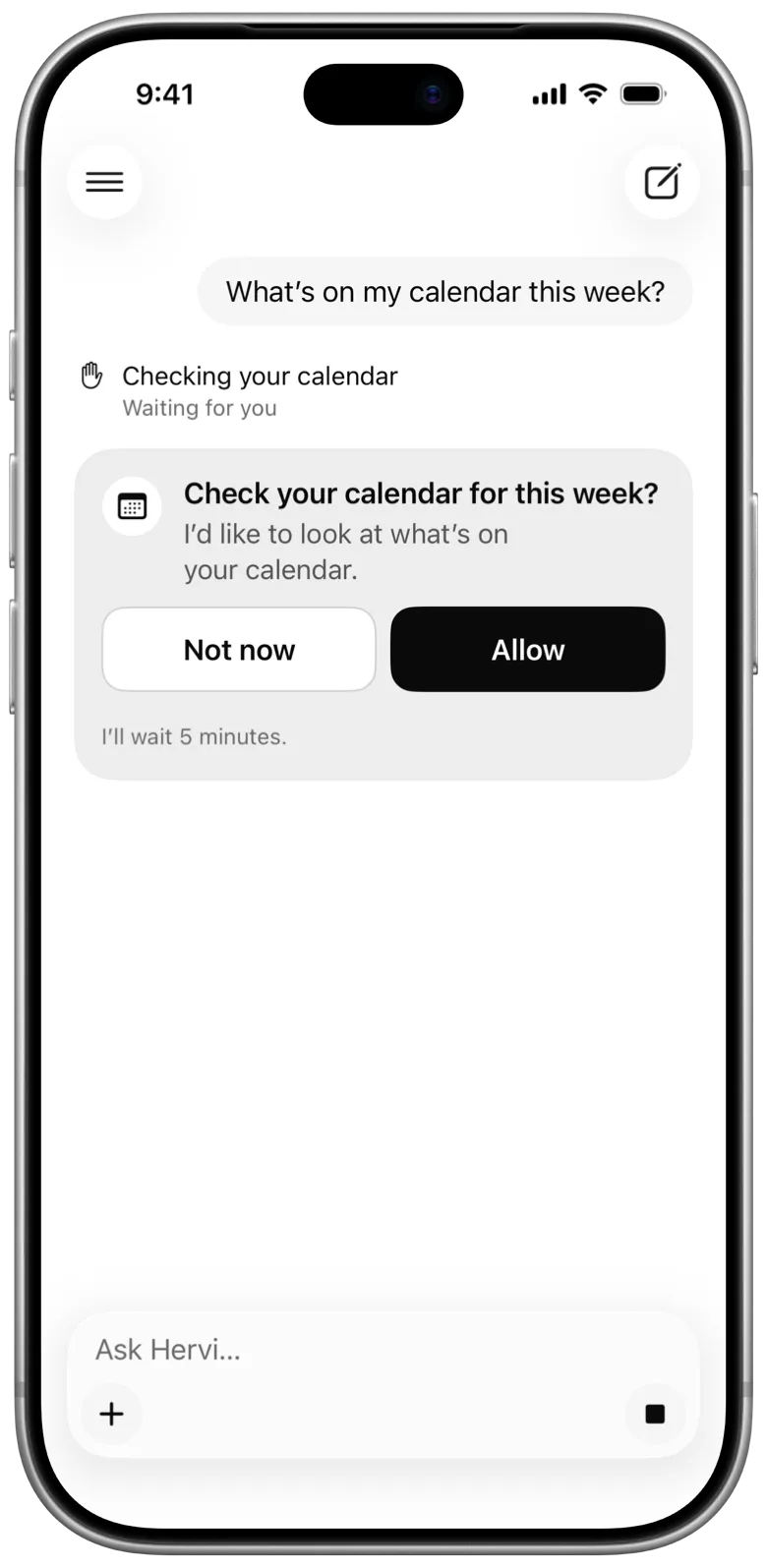
Calendar
See what’s coming up, or add an event.
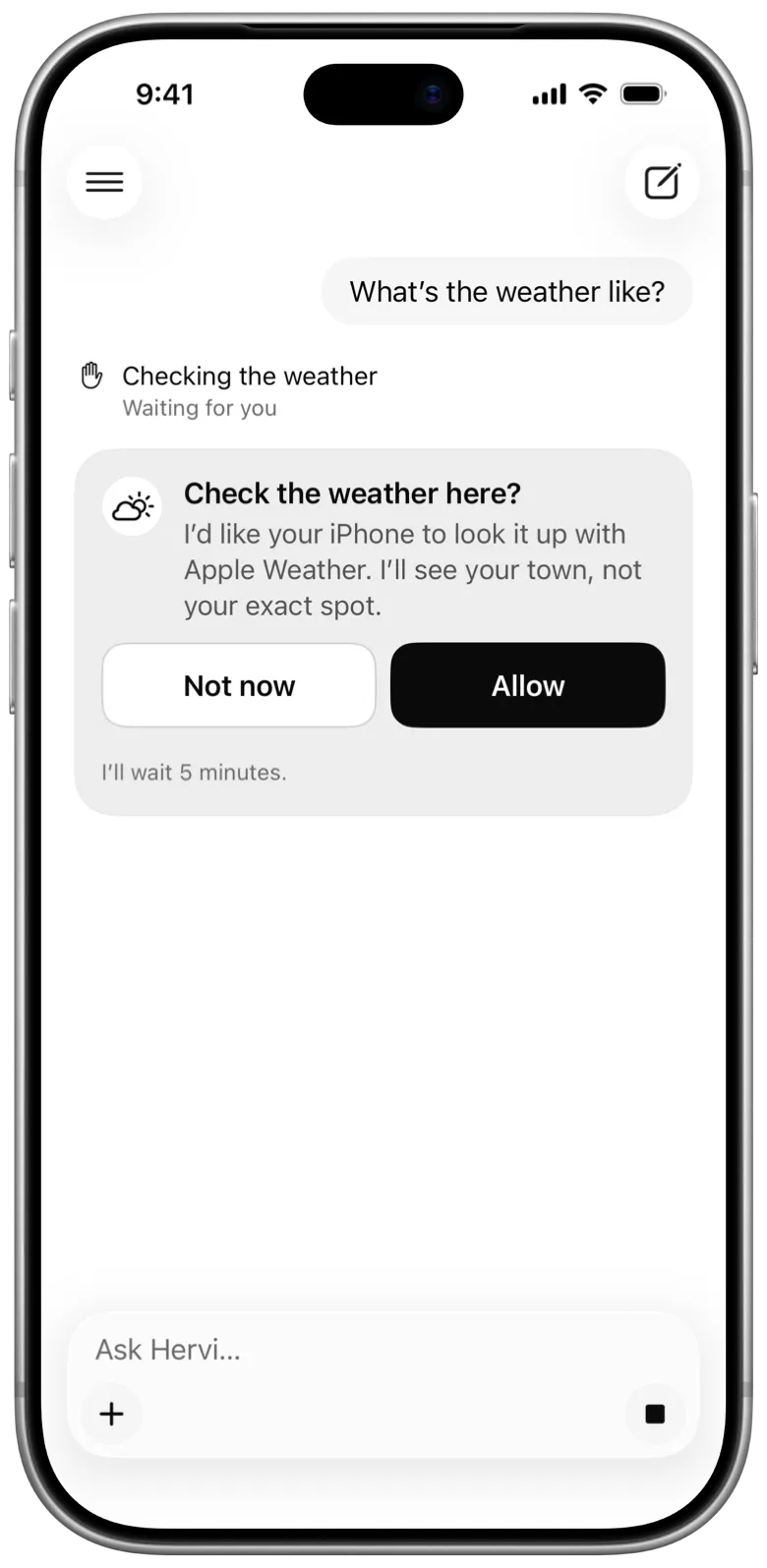
Apple Weather
The forecast, looked up on your iPhone.
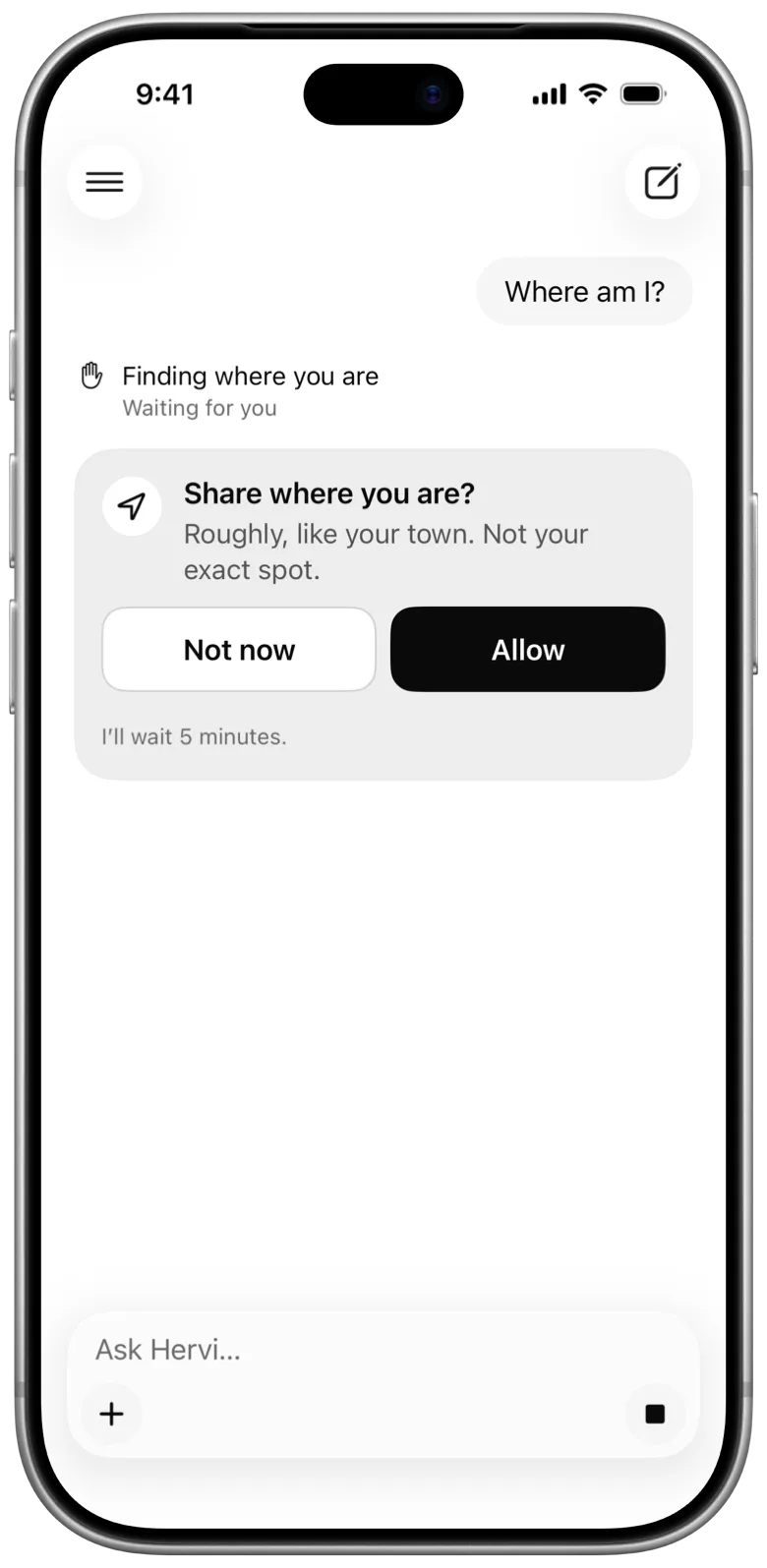
Location
Your town, never the exact spot.
Apple Health
Sleep, activity, heart and more. Read only.
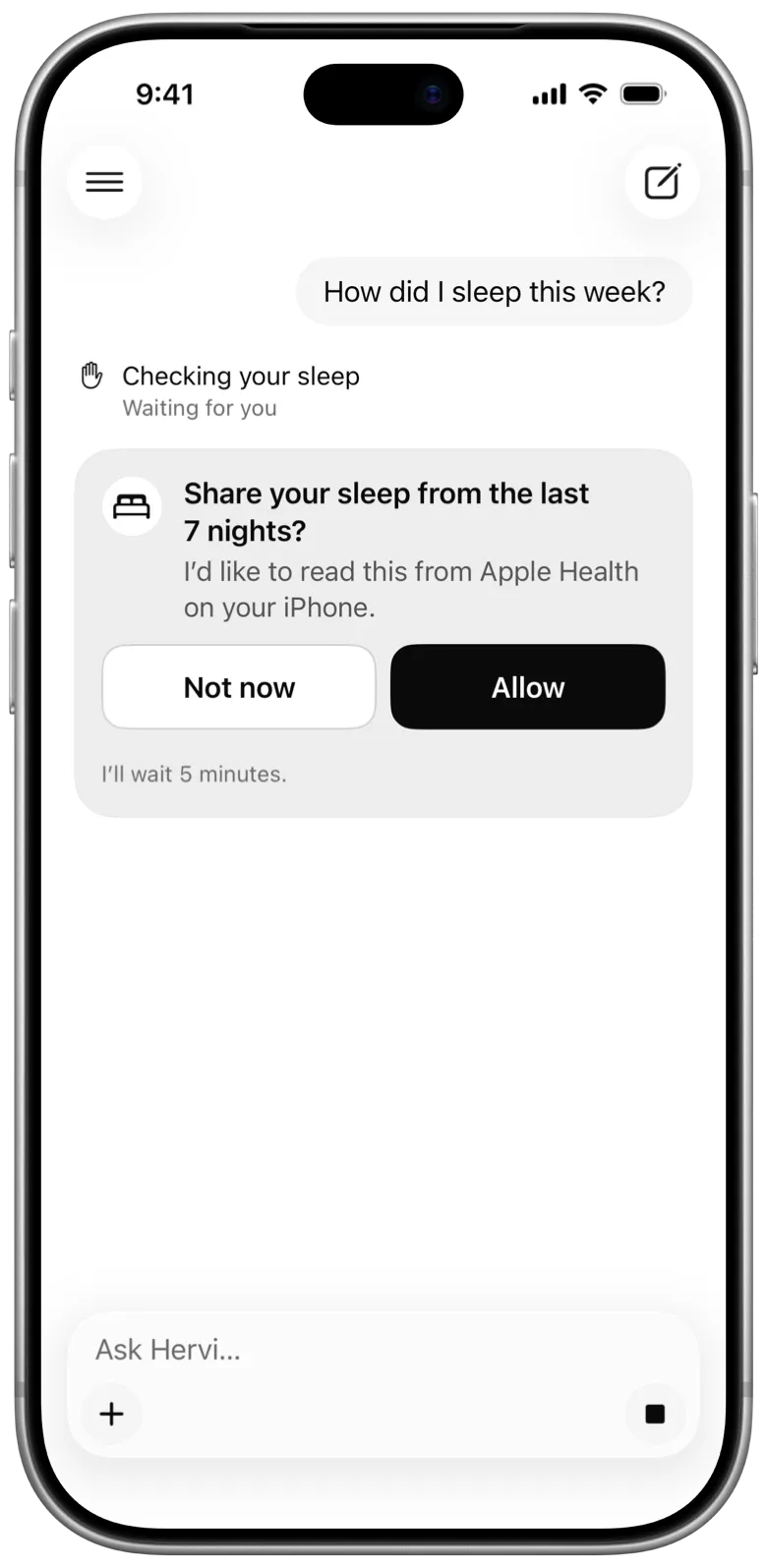
Ask how you slept.
Hervi can read from the Apple Health app on iPhone: sleep, activity, heart, workouts and more. It never writes to it, and it reads nothing until you turn it on.

- Off until you turn it on in Settings, and until whoever runs Hermes turns it on too.
- A card asks before every read, and says what and for which days.
- Only totals for the days asked about are sent, never each reading.
- Cycle tracking, moods, medications, symptoms and alcohol each have their own switch, off to start.
It stays with you.
Your chats stay on your computer
They’re kept on the computer you set up, not by Hervi’s makers.
Nothing tracks you
No accounts, ads or analytics, in the app or on this site.
No passwords on the phone
Your iPhone keeps a sign-in in its Keychain, never your password.
Set up once, then hand out codes.
One person sets up the assistant
It’s called Hermes, and it runs on a computer that stays on. Whoever sets it up picks the AI it uses.
They add the Hervi plugin
It lets your assistant use the iPhone’s apps and send notifications. It’s optional, and it’s open source on GitHub.
Everyone else scans a code
Open Hervi, scan the code they show you, and you’re in, with your own chats.
Questions
- Where do I get the app?
- On TestFlight for now, from whoever sets Hervi up. It’s coming to the App Store. You need an iPhone with iOS 26 or later.
- Do I have to sign up for anything?
- No. There’s no account to make. Whoever set it up gives you a code, you scan it in Hervi, and you’re in.
- Do I need a Mac?
- No. The assistant runs on whatever computer stays on, at home or in the cloud. Everyone else needs only an iPhone.
- Which AI does it use?
- The model chosen by whoever set it up, from a cloud provider or running on your own hardware. Hervi’s makers never see your chats.
- Who can see my chats?
- They’re kept on the computer that runs your assistant, apart from everyone else’s. Whoever set it up can read them.
- Is Hervi open source?
- The Hervi plugin for Hermes is, on GitHub. The iPhone app isn’t, for now. Hermes itself is free and open source.